

You have no items in your shopping cart.














Yocan Ziva 2.0 Cartridge Vaporizer
 Liquid
£30.99
- Precision voltage adjustment
- Compact concealed cartridge design
- Draw & button activation
- TFT colour display screen
- Universal 510 compatibility
- USB-C fast charging
- Auto, manual & draw modes
- Pocket-friendly stealth design
Yocan Ziva 2.0 Cartridge Vaporizer
The Yocan Ziva 2.0 takes discreet cartridge vaping to another level, combining a concealed 510 cartridge design with precise voltage control, a vibrant colour display and three convenient operating modes.
Building on the success of the original Yocan Ziva, the Ziva 2.0 introduces a more advanced control system while maintaining the compact, understated appearance that made the original so popular.
At the heart of the device is a 650mAh rechargeable battery with an adjustable output ranging from 1.8V to 4.2V in precise 0.1V increments. This allows users to fine-tune the heating intensity to suit their cartridge and preferred vapour production.
A new 1.26-inch colour TFT display provides useful information at a glance, including battery level, voltage, cartridge resistance and puff count.
The Ziva 2.0 also offers three operating modes: draw-activated, automatic and manual. Whether you prefer the simplicity of inhaling to activate your cartridge or the additional control of button operation, the device adapts to your preferences.
Its concealed cartridge compartment is another major advantage. Rather than leaving the cartridge exposed, the Ziva 2.0 houses it inside the body, creating a discreet, streamlined appearance while providing additional protection against everyday knocks.
Compatible with suitable 510-thread cartridges up to 2g capacity and approximately 14mm in diameter, the Ziva 2.0 accommodates a broad range of popular cartridge formats.
Additional features include a 10-second preheat function, USB-C charging, a magnetic body connection and multiple built-in electrical safety protections.
Available in Black, Silver, Teal, Purple Gradient and Pink Gradient, the Yocan Ziva 2.0 is an excellent choice for customers seeking a modern, feature-rich and discreet 510 cartridge vaporizer.
Key Features
- Concealed 510 Cartridge Design: Houses compatible cartridges inside the body for discreet use and additional protection.
- Precision Voltage Control: Adjustable from 1.8V to 4.2V in 0.1V increments.
- 1.26-Inch Colour TFT Display: Shows voltage, battery level, cartridge resistance and puff count.
- Three Operating Modes: Choose draw-activated, automatic or manual button operation.
- 650mAh Rechargeable Battery: Integrated battery with convenient USB-C charging.
- 10-Second Preheat Function: Gently warms cartridges at 1.8V to help with thicker oils.
- Compatible with 1g and 2g Cartridges: Supports suitable 510-thread cartridges up to approximately 14mm in diameter.
- Magnetic Connection and Safety Features: Convenient snap-on body with automatic shutdown and electrical protection.
Concealed 510 Cartridge Design
One of the Yocan Ziva 2.0's most appealing features is its concealed cartridge compartment.
Unlike traditional pen-style 510 batteries, which leave the cartridge exposed, the Ziva 2.0 encloses the cartridge inside its main body.
This creates a cleaner appearance and helps protect the installed cartridge during normal handling.
Why Choose a Concealed Cartridge Battery?
Discreet appearance: The cartridge remains hidden inside the device.
Additional protection: The outer housing helps shield the cartridge from everyday knocks.
Streamlined design: No exposed cartridge protruding above the battery.
Comfortable handling: Compact, rounded rectangular construction.
Convenient portability: Easy to carry in a pocket or bag.
Does the Concealed Design Affect Performance?
The outer housing primarily changes the device's appearance and cartridge protection.
Heating performance is determined by the cartridge, voltage setting and battery output.
Is the Ziva 2.0 Completely Smell-Proof?
No.
The concealed design does not eliminate vapour or odour.
Its main advantage is discretion and cartridge protection.
Compatible with 510-Thread Cartridges
The Yocan Ziva 2.0 uses the widely adopted 510-thread cartridge connection.
This makes it compatible with many refillable and prefilled oil cartridges, provided they meet the device's physical and electrical requirements.
Cartridge Compatibility
The Ziva 2.0 is designed for:
- Suitable 510-thread oil cartridges
- Common 1g cartridge formats
- Selected larger 2g cartridge formats
- Cartridges measuring less than approximately 14mm in diameter
- Cartridges with resistance above 0.8Ω
Does the Ziva 2.0 Fit Every 510 Cartridge?
No.
Although 510 threading is widely used, cartridges differ in diameter, length, resistance and mouthpiece design.
A cartridge may have compatible threading but still be too wide or tall to fit inside the concealed housing.
Can It Fit 2g Cartridges?
Yes, suitable 2g cartridges can fit.
However, 2g capacity alone does not guarantee compatibility. The cartridge must also meet the device's dimensional requirements.
Does It Work with CCELL Cartridges?
Many CCELL 510 cartridges are potential matches, including selected TH2 EVO, Vita and Kera models.
However, customers should check the exact cartridge's dimensions, resistance and mouthpiece clearance before purchasing.
Can You Use Wax Directly?
No.
The Ziva 2.0 is a cartridge battery, not a dedicated wax pen with an open concentrate chamber.
Can You Use Dry Herbs?
No.
The device does not contain a dry herb heating oven.
Precision Voltage Control: 1.8V–4.2V
The Yocan Ziva 2.0 offers adjustable voltage from 1.8V to 4.2V, with changes available in 0.1V increments.
This provides significantly greater control than batteries limited to three or four fixed voltage presets.
Why Is Adjustable Voltage Important?
Different cartridges and oil formulations can perform better at different power levels.
Lower voltage generally provides gentler heating, while higher voltage increases the electrical power delivered to the cartridge.
Suggested Voltage Guide
| Voltage | Typical Use |
|---|---|
| 1.8–2.2V | Gentle heating for compatible cartridges |
| 2.3–2.7V | Flavour-focused starting range |
| 2.8–3.2V | Balanced heating and vapour production |
| 3.3–3.7V | Stronger heating for cartridges rated for it |
| 3.8–4.2V | Maximum available output; only for appropriately rated cartridges |
These are general guidelines. Always follow the cartridge manufacturer's recommended voltage range.
Which Voltage Is Best for Flavour?
Lower voltage settings are often preferable for preserving delicate flavour characteristics.
We recommend beginning at the lower end of the cartridge's approved operating range and increasing gradually.
Which Voltage Produces the Most Vapour?
Higher voltage generally increases heating intensity, but only when the cartridge is designed to tolerate that output.
Excessive voltage can cause unpleasant flavour, overheating or cartridge damage.
Does the Ziva 2.0 Have Temperature Control?
No.
The Ziva 2.0 provides voltage control, not direct temperature control in degrees Celsius or Fahrenheit.
The actual cartridge heating temperature depends on its resistance, construction and oil formulation.
1.26-Inch Colour TFT Display
The Ziva 2.0 features a 1.26-inch colour TFT display, providing more detailed information than the basic LED indicators found on many 510 batteries.
What Does the Display Show?
Battery level: Check remaining charge.
Voltage setting: See your selected output.
Cartridge resistance: Monitor the detected resistance of the connected cartridge.
Puff counter: Track recorded activations.
Device status: View relevant operating information.
Why Is a Colour Display Useful?
A display makes it easier to adjust settings accurately and monitor battery condition.
This is particularly helpful when using several cartridge types that require different voltage settings.
Does the Display Show Actual Temperature?
No.
The voltage reading should not be confused with a measured heating temperature.
Three Operating Modes
One of the Ziva 2.0's biggest improvements is its flexible activation system.
The device offers draw, auto and manual modes.
Draw-Activated Mode
Simply inhale through the cartridge mouthpiece to activate heating.
This is ideal for customers who prefer convenient, button-free inhalation.
Manual Mode
Use the activation button to control heating.
This offers direct control over when power is delivered to the cartridge.
Automatic Mode
The automatic mode provides a timed heating option without requiring the button to be held continuously.
Follow the device's operating instructions and avoid allowing an active cartridge to overheat.
Which Mode Is Best?
Draw mode: Best for simplicity.
Manual mode: Best for direct activation control.
Auto mode: Best for customers who prefer a timed heating function.
Safety Cut-Offs
The device features a 9-second cut-off in draw mode and a 15-second cut-off in manual and auto modes.
These limits help prevent excessively long heating activations.
10-Second Preheat Function
The Yocan Ziva 2.0 includes a 10-second preheat function operating at 1.8V.
This feature gently warms the cartridge before normal use.
Why Use Preheat?
Some oils become thicker at lower temperatures or after prolonged storage.
Preheating can help improve oil flow and prepare the cartridge for use.
Benefits
Gentle warming: Uses the device's low 1.8V output.
Useful for thicker oils: Helps prepare suitable cartridges.
Convenient operation: Timed 10-second cycle.
Potentially more consistent draws: Particularly when the cartridge is cold.
How Do You Activate Preheat?
Press the power button twice quickly.
Should You Preheat Every Time?
No.
Preheat is most useful when needed, particularly with thicker oil formulations.
Repeated unnecessary preheating can waste battery power or overheat the cartridge.
650mAh Rechargeable Battery
The Ziva 2.0 features a built-in 650mAh lithium-ion battery.
This provides a practical balance between compact dimensions and everyday battery capacity.
How Long Does the Battery Last?
Battery endurance depends on the selected voltage, cartridge resistance, activation duration and frequency of use.
There is no guaranteed number of puffs per charge.
Is the Battery Removable?
No.
The Ziva 2.0 uses an integrated rechargeable battery.
Does Higher Voltage Drain the Battery Faster?
Generally, higher power settings can increase energy consumption.
Actual battery usage also depends on cartridge resistance and activation duration.
USB-C Charging
The Ziva 2.0 uses a modern USB-C charging port.
Its specified charging input is 5V/1A, with an approximate full charging time of one hour under suitable conditions.
Charging Features
- USB-C charging connection
- 5V/1A input rating
- Approximately one-hour charging time
- On-screen battery information
- Built-in charging protections
Does the Ziva 2.0 Support Fast Charging?
No dedicated USB Power Delivery or proprietary fast-charging capability is specified.
Use a suitable standard USB power source.
Can You Use It While Charging?
Pass-through operation is not confirmed by the manufacturer.
We recommend allowing the device to finish charging before use.
Magnetic Snap-On Body
The Ziva 2.0 features a convenient magnetic body connection.
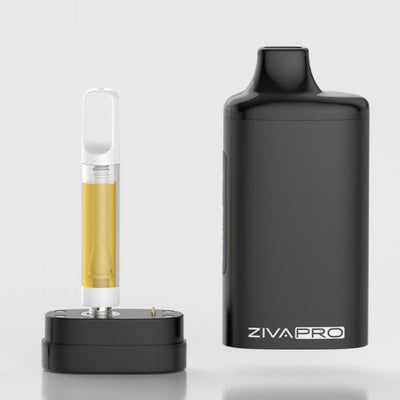
The outer housing can be separated from the base to access the cartridge compartment.
Benefits of the Magnetic Design
Easy cartridge access: Remove the body to install or replace a cartridge.
Secure assembly: Magnetic connection helps hold the body in position.
Clean appearance: Conceals the cartridge after installation.
Convenient maintenance: Makes the connection area accessible for cleaning.
Does the Cartridge Itself Connect Magnetically?
The cartridge uses a 510-thread connection.
The magnetic system secures the outer body and base; it should not be confused with a universal magnetic cartridge adapter.
Compact Design and Five Colours
The Ziva 2.0 measures approximately 36.1 × 21.1 × 110mm.
Its narrow profile makes it comfortable to hold and convenient to carry.
Available Colours
Black: Understated and discreet.
Silver: Clean, modern metallic appearance.
Teal: Distinctive contemporary finish.
Purple Gradient: Colourful gradient design.
Pink Gradient: Vibrant gradient finish.
The available finishes allow customers to choose between subtle everyday styling and a more colourful appearance.
How to Use the Yocan Ziva 2.0
Step 1 – Charge the Device
Ensure the battery has sufficient charge before use.
Step 2 – Remove the Outer Housing
Carefully separate the magnetic body from the base.
Step 3 – Install Your Cartridge
Screw a compatible 510-thread cartridge into the connection.
Do not overtighten.
Step 4 – Reattach the Housing
Align the body and base, allowing the magnetic connection to secure them together.
Step 5 – Switch On
Press the power button five times quickly.
Step 6 – Choose Your Voltage
Use the voltage adjustment controls to select an appropriate setting for your cartridge.
Step 7 – Select Your Operating Mode
Choose draw, auto or manual operation according to your preference.
Step 8 – Preheat if Required
Press the power button twice to activate the 10-second preheat cycle.
Step 9 – Begin Your Session
Use the device according to your selected activation mode.
Step 10 – Switch Off
Press the power button five times to power down the device.
Built-In Safety Features
The Ziva 2.0 includes several electronic protection features.
15-Second Safety Cut-Off
Limits heating duration in manual and auto modes.
9-Second Draw Cut-Off
Limits prolonged activation in draw mode.
One-Hour Auto Shutdown
The device automatically powers off after approximately 60 minutes of inactivity.
Short-Circuit Protection
Helps prevent operation when a short circuit is detected.
Low-Voltage Protection
Helps protect the battery from excessive discharge.
Overheat Protection
Helps interrupt operation if excessive temperature is detected.
These features provide additional safeguards but do not replace proper charging, cartridge compatibility or safe handling.
Yocan Ziva 2.0 vs Original Yocan Ziva
The Ziva 2.0 offers several improvements over the original model.
| Feature | Yocan Ziva 2.0 | Original Yocan Ziva |
|---|---|---|
| Battery | 650mAh | 650mAh |
| Voltage Control | 1.8–4.2V | Three presets |
| Voltage Adjustment | 0.1V increments | 2.6V / 3.2V / 3.8V |
| Display | 1.26-inch colour TFT | LED indicators |
| Operating Modes | Draw, auto, manual | Draw activation |
| Preheat | 10 seconds | 10 seconds |
| Charging | USB-C | USB-C |
| Cartridge Design | Concealed | Concealed |
| Main Advantage | Greater control and information | Simpler operation |
Is the Ziva 2.0 Worth Upgrading To?
For customers who want precise voltage adjustment, a colour screen and additional operating modes, the Ziva 2.0 is a worthwhile upgrade.
The original Ziva remains a simpler alternative for customers who prefer preset controls.
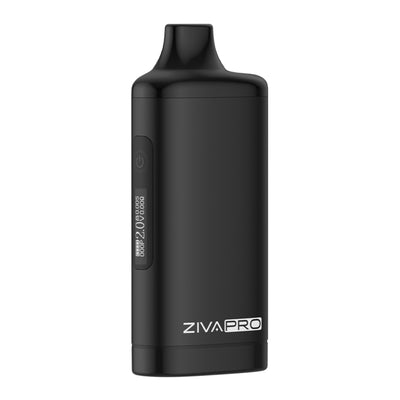
Yocan Ziva 2.0 vs Yocan Ziva Pro
Both devices offer concealed cartridge designs and advanced voltage adjustment.
However, they differ in their control systems and overall user experience.
Yocan Ziva 2.0
- 650mAh battery
- 1.26-inch colour TFT display
- 1.8–4.2V voltage adjustment
- Three operating modes
- Magnetic body connection
- Physical button controls
Yocan Ziva Pro
- Concealed cartridge design
- Touchscreen-style control interface
- Adjustable voltage
- Preheat function
- Integrated rechargeable battery
Which Should You Choose?
Choose the Ziva 2.0 if you prefer physical controls, multiple activation modes and a colour display.
Choose the Ziva Pro if you prefer its touch-based control system.
Yocan Ziva 2.0 vs Yocan UNI 3.0
The Yocan UNI 3.0 is another feature-rich 510 battery, but it offers a different approach to cartridge compatibility.
| Feature | Ziva 2.0 | UNI 3.0 |
|---|---|---|
| Design | Concealed cartridge | Adjustable cartridge chamber |
| Battery | 650mAh | 650mAh |
| Voltage | 1.8–4.2V | 1.8–4.2V |
| Display | 1.26-inch TFT | 1.93-inch HD |
| Cartridge Adjustment | Fixed chamber | Adjustable width and height |
| Draw Activation | Yes | No |
| USB-C | Yes | Yes |
| Main Advantage | Discretion and activation flexibility | Cartridge adjustment and larger screen |
Which Is Better?
The Ziva 2.0 is better suited to customers who want a concealed cartridge and inhale activation.
The UNI 3.0 is better suited to customers who want adjustable cartridge positioning and a larger display.
However, cartridge diameter compatibility should be checked carefully for either device.
Yocan Ziva 2.0 vs CCELL KAP
The CCELL KAP is another discreet 510 cartridge battery.
The main difference is the level of control.
The Ziva 2.0 offers a colour display, precise voltage adjustment and three operating modes.
The CCELL KAP provides a simpler concealed-cartridge experience with three voltage settings.
Our Recommendation
Choose the Ziva 2.0 for greater control and display information.
Choose the CCELL KAP if you prefer simpler operation.
Cleaning and Maintenance
The Ziva 2.0 requires relatively little maintenance because the cartridge contains its own heating element.
However, the 510 connection and concealed compartment should be checked regularly.
Cleaning the Connection
Switch off the device.
Remove the cartridge and outer housing.
Use a suitable dry cleaning tool to remove accessible residue.
For stubborn residue, a lightly dampened cleaning swab may be appropriate, but avoid allowing liquid into the electronics.
Allow everything to dry fully before reassembly.
Preventing Cartridge Leaks
Avoid overtightening cartridges.
Store the device upright where practical.
Do not expose cartridges to excessive heat.
Remove leaking or damaged cartridges promptly.
Cleaning the Exterior
Wipe the housing with a soft, dry cloth.
Do not submerge the device in water.
Troubleshooting
My Ziva 2.0 Is Not Producing Vapour
Check the battery charge, cartridge connection, selected mode and voltage.
Confirm that the cartridge is compatible and functioning.
The Device Says No Atomiser
Remove the cartridge and inspect the 510 connection.
Clean accessible contacts carefully and reinstall the cartridge without overtightening.
My Cartridge Does Not Fit
Check the cartridge diameter and overall height.
The concealed housing cannot accommodate every 510 cartridge.
My Oil Is Too Thick
Use the 10-second preheat function where appropriate.
Do not exceed the cartridge manufacturer's voltage recommendations.
My Vapour Tastes Burnt
Reduce the voltage and inspect the cartridge.
A damaged or depleted cartridge may need replacing.
The Device Switches Off
The Ziva 2.0 includes automatic shutdown and safety cut-offs.
Check the battery charge and ensure the device is not displaying an error.
Technical Specifications
| Specification | Details |
|---|---|
| Brand | Yocan |
| Model | Ziva 2.0 |
| Device Type | Concealed 510 cartridge battery |
| Cartridge Connection | 510 thread |
| Cartridge Housing | Magnetic snap-on |
| Battery Capacity | 650mAh |
| Battery Type | Built-in rechargeable |
| Voltage Range | 1.8–4.2V |
| Voltage Adjustment | 0.1V increments |
| Display | 1.26-inch colour TFT |
| Operating Modes | Draw, auto and manual |
| Preheat | 10 seconds at 1.8V |
| Draw Mode Cut-Off | 9 seconds |
| Manual / Auto Cut-Off | 15 seconds |
| Auto Shutdown | Approximately 60 minutes |
| Cartridge Capacity | Suitable cartridges up to 2g |
| Maximum Cartridge Diameter | Approximately 14mm |
| Cartridge Resistance | Above 0.8Ω |
| Charging Port | USB-C |
| Charging Input | 5V/1A |
| Charging Time | Approximately 1 hour |
| Dimensions | 36.1 × 21.1 × 110mm |
| Available Colours | Black, Silver, Teal, Purple Gradient, Pink Gradient |
| Intended Use | Compatible 510 oil cartridges |
| Dry Herb Compatibility | No |
| Loose Wax Compatibility | No |
What's Included in the Box?
- 1 × Yocan Ziva 2.0 Cartridge Vaporizer
- 1 × User Manual
Please note: The 510 cartridge is not included.
DopeVapes Expert Verdict
The Yocan Ziva 2.0 is one of the most versatile concealed 510 cartridge batteries in Yocan's range, offering an impressive combination of discretion, precise voltage control and everyday convenience.
The biggest improvement over the original Ziva is the level of customisation.
Rather than relying on three fixed voltage presets, the Ziva 2.0 allows you to adjust output from 1.8V to 4.2V in 0.1V increments.
This makes it much easier to match the battery's output to different cartridge types.
We also particularly like the 1.26-inch colour display.
Being able to see your voltage, battery level and cartridge resistance is a genuine advantage over basic LED-only batteries.
The three operating modes are another welcome feature.
Draw activation is ideal for customers who prefer simplicity, while manual operation provides more direct control.
The concealed cartridge compartment remains one of the device's strongest selling points, giving it a discreet appearance while protecting the installed cartridge from everyday knocks.
The 650mAh battery is respectable for the device's size, and USB-C charging makes it convenient to recharge.
There are two limitations worth considering.
Firstly, the fixed cartridge compartment means the Ziva 2.0 is not compatible with every 510 cartridge. Customers using particularly wide or unusually tall cartridges should check dimensions carefully.
Secondly, while the device offers precise voltage adjustment, it does not provide actual temperature control.
For customers who want maximum cartridge-size flexibility, the adjustable Yocan UNI series may be a better choice.
However, for customers prioritising discretion, convenience and a modern display, the Ziva 2.0 is an excellent option.
Our Recommendations
Best discreet 510 battery: Yocan Ziva 2.0.
Best for precise voltage control: Yocan Ziva 2.0 or UNI 3.0.
Best for cartridge adjustment: Yocan UNI 3.0.
Best simple concealed battery: CCELL KAP.
Best ultra-compact 510 battery: Yocan Kodo Pro.
Our verdict: The Yocan Ziva 2.0 is an excellent concealed 510 cartridge vaporizer for customers who want a discreet design without sacrificing functionality. Its 1.26-inch colour display, three operating modes, precise 1.8–4.2V adjustment and 650mAh battery make it a strong all-round choice for compatible oil cartridges.
Frequently Asked Questions
What is the Yocan Ziva 2.0?
It is a concealed 510 cartridge battery with adjustable voltage, a colour display and three operating modes.
Is the Ziva 2.0 a dry herb vaporizer?
No. It is designed for compatible 510 oil cartridges.
What battery capacity does it have?
650mAh.
What is the voltage range?
1.8–4.2V.
Can I adjust voltage in 0.1V increments?
Yes.
Does it have a screen?
Yes, a 1.26-inch colour TFT display.
What does the screen show?
Battery level, voltage, cartridge resistance and puff count.
Is the Ziva 2.0 inhale-activated?
Yes, in draw mode.
Can I activate it with a button?
Yes, in manual mode.
What are the three operating modes?
Draw, auto and manual.
Does it have preheat?
Yes, a 10-second cycle at 1.8V.
How do I turn it on?
Press the power button five times quickly.
How do I activate preheat?
Press the power button twice quickly.
Can I use 2g cartridges?
Yes, if they meet the device's physical and electrical requirements.
What is the maximum cartridge diameter?
Approximately 14mm.
Does it work with all 510 cartridges?
No. Some cartridges may be too large or electrically incompatible.
Does it work with CCELL cartridges?
Many compatible CCELL 510 cartridges may work, subject to size and resistance.
Does it work with 0.5g cartridges?
Yes, where the cartridge dimensions and electrical specifications are compatible.
Does it have temperature control?
No. It provides voltage control.
What is the best voltage for flavour?
Begin at the lower end of your cartridge manufacturer's recommended range.
Does higher voltage produce more vapour?
Generally, but excessive voltage can damage cartridges or affect flavour.
Does it use USB-C?
Yes.
How long does charging take?
Approximately one hour under suitable conditions.
Does it support fast charging?
No dedicated fast-charging protocol is specified.
Is the battery removable?
No.
Does it automatically switch off?
Yes, after approximately one hour of inactivity.
Does it have short-circuit protection?
Yes.
Does it have a puff counter?
Yes.
Is the cartridge included?
No.
Is the USB-C cable included?
Check the supplied retail pack; inclusion is not consistently specified.
What colours are available?
Black, Silver, Teal, Purple Gradient and Pink Gradient.
Is it better than the original Ziva?
It offers more precise voltage control, a colour display and additional operating modes.
Is it better than the Ziva Pro?
That depends on whether you prefer the Ziva 2.0's physical controls or the Ziva Pro's touch-based interface.
Is it better than the UNI 3.0?
The Ziva 2.0 is more discreet, while the UNI 3.0 offers adjustable cartridge positioning.
Is the Yocan Ziva 2.0 worth buying?
Yes. It offers an excellent balance of discretion, customisation and convenience for compatible 510 cartridges.
Related Products and Buying Guides
- Yocan Ziva Pro: Concealed cartridge battery with touch controls.
- Yocan UNI 3.0: Adjustable 510 battery with large HD display.
- Yocan UNI Pro: Popular adjustable cartridge box mod.
- Yocan Kodo Pro: Ultra-compact 510 battery.
- CCELL KAP: Simple concealed cartridge battery.
- CCELL Stylo: Inhale-activated 510 battery with adjustable voltage.
- CCELL TH2 EVO: Refillable glass 510 cartridge.
- CCELL Vita: Refillable 510 cartridge range.
- CCELL Kera: Ceramic-centre-post refillable cartridge.
- 510 Vape Batteries Explained: Guide to voltage, compatibility and cartridge batteries.
- How Vape Cartridges Work: Guide to 510 cartridges and refillable systems.
- CCELL Buying Guide: Compare CCELL devices and cartridges.