

You have no items in your shopping cart.















Uni 3.0 Box Mod Cartridge Vaporizer
 Liquid
£31.99
- 650 mAh Battery Capacity
- USB Type-C Charging Technology
- Precision Temperature Control
- Digital Display Screen with Animation
- Chamber with Adjustable Height and Width
- Practical Hanging Hole
Yocan UNI 3.0 Box Mod Cartridge Vaporizer
The Yocan UNI 3.0 is an advanced 510-thread cartridge vaporizer that combines universal-style cartridge compatibility, precision voltage control and a stunning 1.93-inch HD animated display in a compact, durable box mod.
Building upon the hugely popular Yocan UNI and UNI Pro, the UNI 3.0 introduces a more modern interface, upgraded visual presentation and an adjustable cartridge chamber designed to accommodate a wide selection of compatible oil cartridges.
At the heart of the device is Yocan's signature adjustable cartridge holder, allowing you to change both the width and height of the cartridge chamber. This provides greater flexibility than conventional pen-style batteries, which often leave the entire cartridge exposed.
The UNI 3.0 accommodates suitable 510-thread cartridges measuring approximately 11–16mm in diameter, with an adjustable height mechanism designed for cartridges extending beyond 42mm.
A supplied magnetic 510 adapter connects the cartridge to the battery, making installation and removal straightforward.
The device also features precision voltage control from 1.8V to 4.2V, allowing you to adjust the electrical output to suit your cartridge, oil formulation and preferred vapour production.
Its impressive 1.93-inch HD animated display is one of the largest and most distinctive screens found on a compact cartridge battery. Choose between three different visual themes — Classic, Planet and Shiny Cat — while monitoring important information such as battery level, voltage and puff count.
The built-in 650mAh rechargeable battery provides convenient cordless operation, while USB-C charging allows the device to recharge in approximately one hour with a suitable power source.
Other useful features include a 10-second preheat function operating at 1.8V, a 15-second safety cut-off, automatic power shutdown and a practical lanyard attachment hole.
With its adjustable cartridge chamber, customisable display and broad voltage range, the Yocan UNI 3.0 is an excellent choice for customers who want a versatile, feature-rich 510 cartridge battery.
Key Features
- 1.93-Inch HD Animated Display: Large colour screen with Classic, Planet and Shiny Cat themes.
- Adjustable Cartridge Width and Height: Accommodates compatible 510 cartridges approximately 11–16mm in diameter.
- Precision Voltage Control: Adjustable from 1.8V to 4.2V to suit different cartridges and oil formulations.
- 650mAh Rechargeable Battery: Integrated battery for portable cartridge vaping.
- 10-Second Preheat Function: Gentle 1.8V preheating for compatible cartridges.
- Magnetic 510 Connection: Supplied adapter makes cartridge installation and removal convenient.
- USB-C Charging: Approximately one-hour charging time with a suitable 5V/1A power supply.
- Built-In Safety Features: 15-second draw cut-off, automatic shutdown and overcharge protection.
Adjustable Cartridge Chamber – One Battery, Multiple Cartridge Sizes
One of the biggest advantages of the Yocan UNI 3.0 is its adjustable cartridge chamber.
Many conventional 510 batteries are designed around a fixed cartridge size.
This can create compatibility problems when switching between narrow 1ml cartridges and wider, larger-capacity models.
The UNI 3.0 addresses this with a chamber that can be adjusted in both width and height.
Adjustable Cartridge Width
A rotary adjustment dial allows you to change the width of the cartridge opening.
The supported cartridge diameter range is approximately 11–16mm.
This allows the UNI 3.0 to accommodate a variety of compatible oil cartridge designs.
Adjustable Cartridge Height
A separate adjustment mechanism raises or lowers the cartridge within the device.
This allows the mouthpiece to sit at a comfortable height while keeping much of the cartridge protected inside the box mod.
Why Is Adjustable Height Useful?
Improved compatibility: Accommodates cartridges with different body lengths.
Better protection: Helps keep the cartridge body inside the device.
Comfortable positioning: Allows the mouthpiece to extend above the chamber.
Secure fit: Reduces unnecessary movement during normal use.
Does the UNI 3.0 Fit Every 510 Cartridge?
No.
Although the UNI 3.0 is designed for broad compatibility, it is not genuinely universal.
Cartridge diameter, body length, mouthpiece shape and electrical resistance must all be considered.
In particular, very slim cartridges below approximately 11mm may not be held securely by the adjustable chamber.
What Is the Maximum Cartridge Diameter?
The manufacturer specifies approximately 16mm.
Cartridges wider than this should not be forced into the device.
What About Cartridge Height?
The adjustable mechanism accommodates cartridges with suitable body lengths, with the manufacturer referencing a height adjustment range extending beyond 42mm.
Very short or unusually tall cartridges may not fit correctly.
Magnetic 510 Cartridge Connection
The Yocan UNI 3.0 uses a magnetic 510-thread adapter rather than requiring cartridges to screw directly into the battery.
This system has been a defining feature of the Yocan UNI range.
How Does the Magnetic Adapter Work?
The supplied adapter screws onto the base of a compatible 510 cartridge.
Once attached, the cartridge can be lowered into the UNI 3.0's chamber.
The magnetic connection holds the adapter against the battery contacts.
Benefits of the Magnetic Connection
Easy cartridge changes: Convenient removal and installation.
Less repeated threading: No need to screw cartridges directly into the battery every time.
Adjustable positioning: Works with the chamber's height and width controls.
Practical maintenance: Cartridge and adapter can be removed for inspection.
Is the Magnetic Adapter Included?
Yes.
One magnetic 510 adapter is included in the standard package.
Can You Buy Replacement Adapters?
Yes.
Compatible Yocan UNI magnetic adapters are available separately.
Are All Magnetic 510 Adapters Interchangeable?
Not necessarily.
Although some UNI-series adapters are cross-compatible, use a replacement specifically confirmed to work with the UNI 3.0.
Does the UNI 3.0 Work Without the Adapter?
No.
The magnetic adapter is required to connect a conventional 510-thread cartridge to the device.
Precision Voltage Control – 1.8V to 4.2V
The Yocan UNI 3.0 offers a wide adjustable voltage range from 1.8V to 4.2V.
This is one of its most useful features.
Different oil cartridges use different heating elements and resistance values, so the ability to adjust voltage helps you tailor the electrical output to your chosen cartridge.
Voltage Guide
| Voltage | Typical Use |
|---|---|
| 1.8–2.2V | Very low output for compatible cartridges |
| 2.3–2.6V | Lower-temperature, flavour-focused operation |
| 2.7–3.0V | Balanced output for many compatible cartridges |
| 3.1–3.5V | Stronger heating where supported |
| 3.6–4.2V | High output; only for cartridges rated to tolerate it |
These ranges are general guidance rather than universal cartridge recommendations.
Low Voltage
Lower voltage generally produces gentler heating.
This can be particularly useful with cartridges designed for low-power operation.
Medium Voltage
Moderate settings may offer a useful balance between flavour and vapour production.
High Voltage
Higher settings increase electrical output and may produce more vapour.
However, excessive voltage can overheat cartridge coils, degrade flavour or damage unsuitable cartridges.
What Voltage Do We Recommend?
For an unfamiliar compatible oil cartridge, start around 2.2–2.5V, provided the cartridge manufacturer permits that range.
Increase gradually if necessary.
Always prioritise the cartridge manufacturer's recommended voltage.
Does the UNI 3.0 Have Temperature Control?
Not directly.
The UNI 3.0 adjusts voltage, not the actual temperature of the cartridge's heating element.
Temperature depends on cartridge resistance, coil construction, oil viscosity and operating conditions.
This distinction is important when comparing 510 batteries.
1.93-Inch HD Animated Display
The most visually distinctive feature of the Yocan UNI 3.0 is its large 1.93-inch HD animated display.
Unlike basic 510 batteries that rely on small LEDs, the UNI 3.0 provides a detailed visual interface.
What Does the Display Show?
- Selected voltage
- Battery information
- Puff count
- Device operating status
- Animated interface graphics
Why Is a Large Screen Useful?
Clear settings: Easier to see the selected voltage.
Battery monitoring: Check the remaining charge.
Puff tracking: Monitor the device's recorded puff count.
Modern appearance: More visually engaging than conventional LED indicators.
Personalisation: Choose a preferred display theme.
Is the Screen Touch-Sensitive?
No.
The UNI 3.0 uses physical buttons for its controls.
Does It Need a Smartphone App?
No.
All normal functions are controlled directly through the device.
Three Customisable Display Themes
The UNI 3.0 offers three distinctive animated interface styles.
Classic Mode
A more traditional display layout that focuses on essential operating information.
Best for: Customers who prefer a straightforward, practical interface.
Planet Mode
A space-inspired animated interface that gives the device a futuristic appearance.
Best for: Customers who enjoy a more visually distinctive screen.
Shiny Cat Mode
A playful animated theme featuring a cat-inspired design.
Best for: Customers who want a more personalised, characterful interface.
How Do You Change the Display Theme?
- Switch on the device.
- Press the power button three times to enter the interface selection menu.
- Use the plus and minus buttons to choose a theme.
- Press the power button to confirm.
Does the Theme Change Performance?
No.
The themes change the display appearance rather than the heating output.
10-Second Preheat Function
The Yocan UNI 3.0 features a 10-second preheat function operating at 1.8V.
This provides gentle preliminary heating before normal operation.
What Is Preheat?
Preheat briefly warms the cartridge's heating element at a low voltage.
It can be useful with certain thicker oil formulations that do not flow as readily at room temperature.
How Do You Activate Preheat?
Press the power button twice rapidly.
The device activates its 10-second preheat cycle.
Benefits of Preheat
Gentle initial heating: Uses a low 1.8V output.
Useful for thicker oils: May help certain formulations warm before inhalation.
Convenient activation: Simple double-click control.
Consistent starting conditions: Useful when the cartridge has been stored in a cooler environment.
Should You Use Preheat Every Time?
No.
Preheat is optional and may be unnecessary for cartridges containing thinner oils.
Excessive or repeated preheating can overheat the cartridge.
Can Preheat Clear a Blocked Cartridge?
It may help with some viscosity-related restrictions, but it cannot reliably resolve all blockages.
If a cartridge remains blocked, inspect it according to the manufacturer's guidance.
Do not repeatedly apply heat to a damaged cartridge.
650mAh Rechargeable Battery
The UNI 3.0 features a built-in 650mAh rechargeable battery.
This provides cordless operation in a compact handheld device.
Benefits
Portable: No external battery required.
Rechargeable: Designed for repeated use.
Compact: Battery integrated into the box mod.
Convenient: Suitable for occasional and regular cartridge use.
How Long Does the Battery Last?
Battery endurance depends on voltage, cartridge resistance, draw duration and frequency of use.
Lower-voltage operation generally uses less electrical power than higher-voltage operation with the same cartridge.
Is the Battery Removable?
No.
The UNI 3.0 uses an integrated rechargeable battery.
Is 650mAh Enough?
For many cartridge users, 650mAh is a practical balance between portability and battery capacity.
However, heavy users may need to recharge more frequently.
USB-C Charging
The Yocan UNI 3.0 uses USB Type-C charging.
The manufacturer specifies a 5V/1A charging input.
How Long Does Charging Take?
Approximately one hour with a suitable power source.
Does the UNI 3.0 Support Fast Charging?
No.
Yocan advises that fast charging is not supported.
Use a suitable standard USB power supply rather than relying on high-wattage charging modes.
Does It Include a USB-C Cable?
Yes.
Does It Include a Wall Adapter?
No mains adapter is listed in the standard package.
Can You Use It While Charging?
We recommend charging the device before use and following Yocan's operating instructions.
Do not assume pass-through operation is supported.
15-Second Safety Cut-Off
The UNI 3.0 includes a 15-second safety cut-off.
This limits continuous heating when the activation button is held for an extended period.
Why Is This Important?
The cut-off helps reduce prolonged heating of the cartridge and protects against accidental continuous activation.
Does the Device Automatically Stop Heating?
Yes.
Continuous activation is limited by the safety cut-off.
Does This Mean You Should Take 15-Second Draws?
No.
The cut-off is a safety limit, not a recommended inhalation duration.
Follow the cartridge manufacturer's instructions and avoid unnecessary prolonged heating.
Automatic Power Shutdown
The UNI 3.0 includes an automatic shutdown feature after approximately one hour.
This is separate from the 15-second heating cut-off.
Benefits
Battery conservation: Helps prevent unnecessary power consumption.
Additional protection: Reduces the chance of the device remaining active indefinitely.
Convenience: Useful if the device is accidentally left switched on.
Does It Replace Switching the Device Off?
No.
We recommend manually switching off the UNI 3.0 before carrying or storing it.
Zinc Alloy Construction
The UNI 3.0 features a zinc alloy body, providing a more substantial feel than many lightweight plastic cartridge batteries.
Benefits of Zinc Alloy
Durability: Suitable for everyday handling.
Premium feel: More substantial construction.
Compact design: Maintains a practical handheld form.
Modern appearance: Complements the animated screen.
Is the UNI 3.0 Heavy?
Its metal construction gives it a more substantial feel than some pen-style batteries.
However, it remains compact enough for convenient handheld use.
Compact Design and Lanyard Hole
The UNI 3.0 retains the distinctive compact box mod shape of the UNI series.
Its adjustable chamber helps conceal and protect much of the cartridge body.
Why Choose a Box Mod Instead of a Pen Battery?
Cartridge protection: Recessed design helps shield the cartridge.
Adjustability: Supports different cartridge sizes.
Large display: More space for operating information.
Comfortable grip: Compact handheld body.
Lanyard attachment: Built-in hole for a compatible lanyard.
Is a Lanyard Included?
No.
A lanyard is not listed in the standard package.
Is the UNI 3.0 Discreet?
Its compact design makes it convenient to carry, although the large animated display may be more noticeable than a simple pen battery.
510 Cartridge Compatibility
The UNI 3.0 is designed for suitable 510-thread oil cartridges.
However, the adjustable chamber and electrical requirements mean compatibility is not completely universal.
Compatible Cartridge Requirements
A cartridge should meet the following conditions:
Thread: Standard compatible 510 connection.
Diameter: Approximately 11–16mm.
Height: Suitable for the adjustable chamber.
Resistance: Above approximately 0.8Ω.
Voltage: Suitable for operation within the UNI 3.0's 1.8–4.2V range.
Does It Work With 1ml Cartridges?
Many 1ml cartridges are compatible, provided their dimensions and electrical specifications fall within the supported range.
Does It Work With 2ml Cartridges?
Some 2ml cartridges may fit.
However, cartridge width, height and resistance must be checked.
Does It Work With All 510 Cartridges?
No.
The UNI 3.0 has defined physical and electrical limits.
Very slim, oversized or unusually shaped cartridges may not fit correctly.
Yocan UNI 3.0 and CCELL Cartridge Compatibility
The UNI 3.0 may be suitable for selected CCELL cartridges, but it is important to check dimensions carefully.
CCELL TH2 EVO
The 1ml TH2 EVO is approximately 10.5mm in diameter.
This is slightly below the UNI 3.0's advertised minimum adjustable chamber diameter of 11mm.
Although the magnetic connection may work electrically, a secure physical fit is not guaranteed.
CCELL Kera
The 1ml CCELL Kera is also approximately 10.5mm in diameter.
As with the TH2 EVO, the chamber may not grip it securely.
CCELL Vita 1ml
The 1ml Vita is approximately 10.5mm wide.
It falls slightly below the published minimum diameter.
CCELL Vita 2ml
The wider 2ml Vita measures approximately 14.1mm in diameter.
This falls within the UNI 3.0's advertised 11–16mm diameter range.
However, its overall height and electrical compatibility must still be checked.
Which CCELL Cartridge Is Best?
For physical width compatibility, the 2ml Vita is a more natural match than narrower 10.5mm cartridges.
However, do not treat this as a guarantee of complete compatibility without checking the exact cartridge.
Can You Use Narrower Cartridges?
Some narrower cartridges may still connect through the magnetic adapter.
However, the adjustable chamber may not hold them securely.
For slim cartridges, a battery designed for smaller diameters may be preferable.
Yocan UNI 3.0 vs Yocan UNI Pro
The original UNI Pro is one of Yocan's most established adjustable cartridge batteries.
The UNI 3.0 retains its versatile cartridge concept while adding a larger, more advanced display.
| Feature | Yocan UNI 3.0 | Yocan UNI Pro |
|---|---|---|
| Battery | 650mAh | 650mAh |
| Voltage Range | 1.8–4.2V | 2.0–4.2V |
| Display | 1.93-inch HD animated | OLED |
| Display Themes | Three | No |
| Adjustable Width | Yes | Yes |
| Adjustable Height | Yes | Yes |
| Magnetic Adapter | Yes | Yes |
| Preheat | 10 seconds | 10 seconds |
| Charging | USB-C | Micro-USB on original model |
| Main Advantage | Modern display and lower minimum voltage | Proven design and compatibility with slimmer cartridges |
Why Choose the UNI 3.0?
The UNI 3.0 offers a larger animated screen, three display themes and a lower minimum voltage.
Why Choose the UNI Pro?
The original UNI Pro remains a good option for customers who prefer a simpler interface or need compatibility with certain slimmer cartridges.
Our Recommendation
Choose the UNI 3.0 if you want the most visually advanced version of the classic UNI design.
Yocan UNI 3.0 vs Yocan Ziva Pro
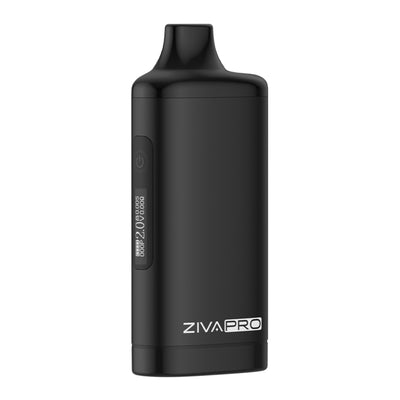
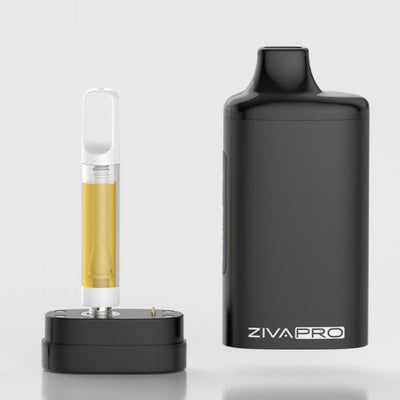
The Yocan Ziva Pro uses a different approach to cartridge protection.
Rather than an adjustable open-top chamber, it conceals the cartridge inside a discreet housing.
| Feature | Yocan UNI 3.0 | Yocan Ziva Pro |
|---|---|---|
| Format | Adjustable box mod | Concealed cartridge battery |
| Cartridge Protection | Recessed adjustable chamber | Enclosed housing |
| Activation | Button | Inhale-activated |
| Voltage Control | Adjustable | Adjustable |
| Display | Large animated HD screen | Compact digital display |
| Preheat | Yes | Yes |
| Charging | USB-C | USB-C |
| Main Advantage | Cartridge versatility and customisation | Discreet operation |
Why Choose the UNI 3.0?
Choose the UNI 3.0 if you want adjustable cartridge height and width, a large screen and button-operated heating.
Why Choose the Ziva Pro?
Choose the Ziva Pro if you prioritise discretion and automatic inhale activation.
Our Recommendation
UNI 3.0 for adjustability and features. Ziva Pro for discretion.
Yocan UNI 3.0 vs CCELL Stylo
The CCELL Stylo is a compact, discreet 510 cartridge battery.
| Feature | Yocan UNI 3.0 | CCELL Stylo |
|---|---|---|
| Battery | 650mAh | 500mAh |
| Voltage | 1.8–4.2V adjustable | Three presets |
| Display | 1.93-inch animated HD | Compact digital display |
| Cartridge Housing | Adjustable chamber | Recessed housing |
| Activation | Button | Inhale-activated |
| Preheat | 10 seconds | 15 seconds |
| Charging | USB-C | USB-C |
| Main Advantage | Precision adjustment and display | Compact simplicity |
Why Choose the UNI 3.0?
The UNI 3.0 offers greater voltage flexibility and a much larger display.
Why Choose the Stylo?
The Stylo is ideal for customers who prefer simple inhale activation and a compact, discreet format.
Yocan UNI 3.0 vs Yocan Kodo Pro
The Kodo Pro is one of Yocan's smallest digital 510 batteries.
| Feature | Yocan UNI 3.0 | Yocan Kodo Pro |
|---|---|---|
| Format | Adjustable box mod | Mini box mod |
| Battery | 650mAh | 400mAh |
| Display | 1.93-inch HD animated | Compact OLED |
| Voltage | 1.8–4.2V | 1.8–4.2V |
| Cartridge Housing | Adjustable recessed | Exposed connection |
| Magnetic Adapter | Yes | No |
| Charging | USB-C | USB-C |
| Main Advantage | Protection and customisation | Ultra-compact portability |
Our Recommendation
Choose the UNI 3.0 for its adjustable cartridge chamber and premium display.
Choose the Kodo Pro for maximum portability and simplicity.
How to Use the Yocan UNI 3.0
Step 1 – Charge the Device
Charge the UNI 3.0 using the supplied USB-C cable and a suitable standard 5V/1A power source.
Step 2 – Prepare Your Cartridge
Check that your cartridge is compatible with the UNI 3.0's dimensions, resistance and voltage range.
Step 3 – Attach the Magnetic Adapter
Screw the supplied magnetic 510 adapter onto the cartridge.
Tighten gently without forcing the connection.
Step 4 – Adjust the Chamber Width
Rotate the adjustment dial to create enough room for your cartridge.
Step 5 – Insert the Cartridge
Lower the cartridge into the chamber until the magnetic adapter connects.
Step 6 – Adjust the Cartridge Height
Use the height adjustment mechanism to position the mouthpiece comfortably above the device.
Step 7 – Secure the Cartridge
Adjust the chamber width to support the cartridge without applying excessive pressure.
Step 8 – Switch On
Press the power button five times rapidly.
Step 9 – Choose Your Voltage
Use the plus and minus buttons to select the desired voltage.
Start with a low setting suitable for the cartridge.
Step 10 – Inhale
Press and hold the power button while inhaling gently through the cartridge mouthpiece.
Release the button to stop heating.
Step 11 – Use Preheat if Necessary
Double-click the power button to activate the 10-second, 1.8V preheat function.
Only use preheat when appropriate for your cartridge.
Step 12 – Switch Off
Press the power button five times to switch the device off before carrying or storing it.
Cleaning and Maintenance
Regular maintenance helps preserve reliable electrical contact and cartridge performance.
Cleaning the Cartridge Chamber
Remove the cartridge and magnetic adapter.
Use a dry cotton swab or soft cloth to remove dust and accessible residue.
Cleaning the Magnetic Adapter
Inspect the adapter for oil residue or contamination.
Clean carefully using a suitable method and allow it to dry fully before reconnecting.
Cleaning the 510 Contacts
Keep the battery contacts free from oil and debris.
Avoid allowing liquid to enter the electronic components.
Cleaning the Exterior
Wipe the zinc alloy body with a soft cloth.
Avoid abrasive cleaners that may damage the finish or display.
Protecting the Screen
Keep the display away from sharp objects and excessive pressure.
Can You Wash the UNI 3.0 With Water?
No.
Never immerse the battery in water or cleaning solvent.
How Often Should You Clean It?
Inspect the cartridge connection whenever changing cartridges.
Clean the contacts whenever residue is visible or connection problems occur.
Troubleshooting the Yocan UNI 3.0
The Device Says No Atomizer
This usually indicates that the device cannot detect a suitable cartridge connection.
Check that the magnetic adapter is installed correctly.
Inspect the contacts for residue.
Confirm that the cartridge is electrically compatible.
The Cartridge Is Not Heating
Check the battery charge, voltage setting and cartridge connection.
Try a different compatible cartridge if necessary.
The Cartridge Feels Loose
Adjust the chamber width and height.
If the cartridge is narrower than the specified minimum diameter, it may not be supported securely.
The Device Is Producing Weak Vapour
Check the cartridge manufacturer's recommended voltage.
Confirm that the cartridge is not empty or blocked.
Increase voltage gradually only where permitted.
The Vapour Tastes Burnt
Stop heating.
Reduce the voltage if appropriate.
Inspect the cartridge for damage, insufficient oil or overheating.
The Battery Is Not Charging
Check the USB-C cable and suitable power source.
Inspect the charging port for debris.
Do not continue charging if the device becomes unusually hot or shows signs of damage.
Who Is the Yocan UNI 3.0 Best For?
510 cartridge enthusiasts: Adjustable holder supports multiple cartridge sizes.
Customers upgrading from the UNI Pro: Modern HD display and improved visual interface.
Customers who value voltage control: Wide 1.8–4.2V range.
Customers who want cartridge protection: Recessed adjustable chamber.
Technology enthusiasts: Three animated display themes.
Regular cartridge users: 650mAh rechargeable battery.
Customers who prefer button activation: Direct control over heating.
Customers who use different cartridge formats: Adjustable width and height.
Who Might Prefer Another Battery?
Customers who primarily use narrow 10.5mm cartridges may prefer a battery designed for slimmer formats.
Customers who want automatic inhale activation may prefer the CCELL Stylo or Yocan Ziva Pro.
Customers who prioritise maximum portability may prefer the Yocan Kodo Pro.
Customers who want a simple pen-style battery may prefer the CCELL M4.
Yocan UNI 3.0 Technical Specifications
| Specification | Details |
|---|---|
| Brand | Yocan |
| Model | UNI 3.0 |
| Device Type | Adjustable 510 cartridge box mod |
| Compatible Material | Oils in suitable 510 cartridges |
| Connection | Magnetic 510 adapter |
| Cartridge Diameter | Approximately 11–16mm |
| Cartridge Height | Adjustable; supports suitable cartridges exceeding 42mm |
| Recommended Cartridge Resistance | Above 0.8Ω |
| Voltage Range | 1.8–4.2V |
| Voltage Adjustment | Plus and minus buttons |
| Display | 1.93-inch HD animated screen |
| Display Themes | Classic, Planet, Shiny Cat |
| Puff Counter | Yes |
| Preheat | 10 seconds at 1.8V |
| Battery | 650mAh integrated |
| Charging | USB-C |
| Charging Input | 5V/1A |
| Approximate Charging Time | 1 hour |
| Fast Charging | Not supported |
| Activation | Button-operated |
| Safety Cut-Off | 15 seconds |
| Automatic Shutdown | Approximately 1 hour |
| Overcharge Protection | Yes |
| Body Material | Zinc alloy |
| Lanyard Hole | Yes |
| Battery Removable | No |
| Dry Herb Compatibility | No |
| Direct Wax Loading | No; requires separately compatible atomiser hardware |
| Smartphone App | No |
What's Included in the Box?
- 1 × Yocan UNI 3.0 Box Mod
- 1 × Magnetic 510 Cartridge Adapter
- 1 × USB Type-C Charging Cable
- 1 × User Manual
Please note: Oil cartridges, concentrates, charging adapters and lanyards are not included.
DopeVapes Expert Verdict
The Yocan UNI 3.0 is one of the most feature-rich adjustable 510 cartridge batteries in its price category, combining the versatility of the original UNI design with an impressive animated HD display.
Its biggest advantage remains the adjustable cartridge chamber.
Being able to change both the width and height makes the UNI 3.0 more flexible than many fixed-size cartridge batteries, particularly for customers who regularly switch between different cartridge formats.
We also like the 1.8–4.2V voltage range.
This provides plenty of adjustment for suitable cartridges, while the low-voltage preheat function is a useful addition for certain thicker oil formulations.
The 1.93-inch animated screen is another standout feature.
It gives the UNI 3.0 a much more modern appearance than the original UNI Pro, with three selectable themes and useful operating information.
The zinc alloy construction provides a reassuringly substantial feel, while the USB-C charging and 650mAh battery make it practical for everyday use.
However, there are a few limitations worth understanding.
Despite its universal-style branding, the UNI 3.0 has a specified cartridge diameter range of approximately 11–16mm.
This means some popular slim 510 cartridges measuring around 10.5mm may not be held securely by the chamber.
The device is also button-operated rather than inhale-activated, and its larger display makes it less discreet than simpler batteries.
For customers using compatible cartridges within the supported dimensions, however, the UNI 3.0 is an excellent option.
Our Recommendations
Best adjustable 510 cartridge box mod: Yocan UNI 3.0.
Best discreet inhale-activated battery: CCELL Stylo.
Best concealed cartridge battery: Yocan Ziva Pro.
Best ultra-compact digital 510 battery: Yocan Kodo Pro.
Best simple pen-style 510 battery: CCELL M4.
Our verdict: The Yocan UNI 3.0 combines an adjustable cartridge chamber, 1.93-inch animated HD display, three customisable themes, 1.8–4.2V voltage control and a 650mAh USB-C rechargeable battery. An excellent choice for customers who want a premium-style 510 cartridge battery with extensive adjustment and a distinctive modern interface.
Frequently Asked Questions
What is the Yocan UNI 3.0?
The Yocan UNI 3.0 is an adjustable 510-thread cartridge battery featuring a large animated display, precision voltage control and a magnetic cartridge connection.
Is the UNI 3.0 a vaporizer or a battery?
It is a rechargeable cartridge battery. It requires a compatible cartridge or heating attachment to produce vapour.
Does the UNI 3.0 include a cartridge?
No. A cartridge must be purchased separately.
Does it work with 510 cartridges?
Yes, with cartridges that meet its physical and electrical compatibility requirements.
Does it fit every 510 cartridge?
No. Its advertised diameter range is approximately 11–16mm.
What is the maximum cartridge diameter?
Approximately 16mm.
Does it work with 1ml cartridges?
Many 1ml cartridges are compatible, but their dimensions must be checked.
Does it work with 2ml cartridges?
Some 2ml cartridges are compatible, provided they fit within the adjustable chamber and meet electrical requirements.
Does it work with CCELL cartridges?
Selected CCELL cartridges may be suitable. Narrow 10.5mm models fall slightly below the specified minimum chamber diameter.
Does the CCELL Vita 2ml fit?
Its approximately 14.1mm diameter is within the stated range, but overall height and electrical compatibility must also be checked.
Does the UNI 3.0 have adjustable height?
Yes.
Does it have adjustable width?
Yes.
What is the magnetic adapter for?
It connects a compatible 510 cartridge to the UNI 3.0's magnetic battery connection.
Is the magnetic adapter included?
Yes.
Can you buy replacement adapters?
Yes. Compatible replacement magnetic adapters are available separately.
What is the voltage range?
1.8–4.2V.
Does the UNI 3.0 have precise temperature control?
No. It provides voltage adjustment rather than direct temperature control.
What voltage should beginners use?
Start at a low setting approved by the cartridge manufacturer and increase gradually if necessary.
Does the UNI 3.0 have preheat?
Yes.
How long is the preheat function?
10 seconds.
What voltage does preheat use?
1.8V.
How do you activate preheat?
Double-click the power button.
Does it have a colour display?
Yes. It features a 1.93-inch HD animated display.
What are the three screen themes?
Classic, Planet and Shiny Cat.
How do you change the screen theme?
Press the power button three times, select a theme using the adjustment buttons and confirm with the power button.
Does the display show battery level?
Yes.
Does it have a puff counter?
Yes.
What battery capacity does it have?
650mAh.
Is the battery removable?
No.
Does the UNI 3.0 use USB-C?
Yes.
How long does charging take?
Approximately one hour with a suitable 5V/1A power source.
Does it support fast charging?
No.
Is the UNI 3.0 inhale-activated?
No. It uses button activation.
Does it have a safety cut-off?
Yes. Continuous heating is limited to approximately 15 seconds.
Does it switch off automatically?
Yes. It includes an approximately one-hour automatic shutdown feature.
Can you use dry herbs?
No. It is not a dry herb vaporizer.
Can you load wax directly into the device?
No. It requires a separately compatible concentrate atomiser if used for wax.
Is the UNI 3.0 better than the UNI Pro?
The UNI 3.0 offers a larger animated display and lower minimum voltage, while the original UNI Pro may accommodate some slimmer cartridges.
Is the UNI 3.0 better than the Ziva Pro?
The UNI 3.0 offers more adjustment and a larger display. The Ziva Pro prioritises discretion and inhale activation.
Is the UNI 3.0 better than the Kodo Pro?
The UNI 3.0 offers an adjustable recessed cartridge chamber. The Kodo Pro is considerably smaller and simpler.
Is the Yocan UNI 3.0 worth buying?
Yes, particularly for customers who want adjustable cartridge compatibility, precision voltage control and a premium-style animated display.
Related Products and Buying Guides
- Yocan UNI Pro: Original adjustable cartridge box mod.
- Yocan UNI Magnetic Adapter: Replacement magnetic 510 connection.
- Yocan Ziva Pro: Discreet inhale-activated cartridge battery.
- Yocan Ziva 2.0: Modern concealed 510 cartridge vaporizer.
- Yocan Kodo Pro: Compact digital 510 battery.
- Yocan Ari 2.0: Slim 510-thread cartridge battery.
- CCELL Stylo: Compact inhale-activated cartridge battery.
- CCELL KAP: Discreet cartridge battery with removable cap.
- CCELL TH2 EVO: Ceramic 510 oil cartridge.
- CCELL Kera: Ceramic-centre-post cartridge.
- CCELL Vita: Postless 510 cartridge range.
- 510 Vape Batteries Explained: Understand voltage, resistance and compatibility.
- How Vape Cartridges Work: Learn about cartridge construction and heating technology.
- CCELL Cartridge Buying Guide: Compare cartridge formats and compatibility.